Setup
Fan Control
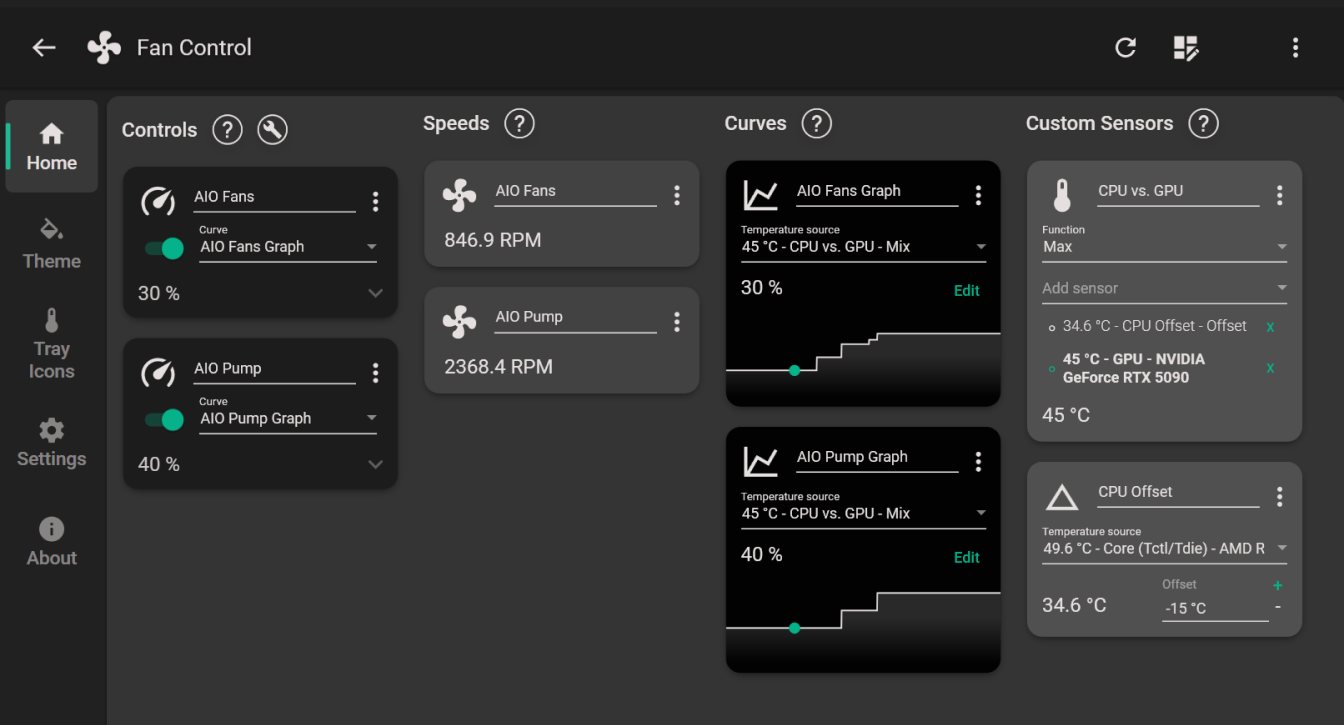
I use FanControl for managing the AIO fan speeds.
The config file for this particular build is available for download on my Patreon, but you can follow the tips below for setting up a similar config.
Configuration
Because the AIO fans are also the only exhaust fans in this build, I want them to ramp up based on whichever component is running hottest.
Check the steps below for an outline on how this is done.
Steps
- Set up a
Mixcustom sensor with the Function set toMaxand name itCPU vs. GPU. - Create a
CPU Offsetcustom sensor with the temp. source set to theCPU Core (Tctl/Tdie)sensor and an offset of-15. This is done in order to “align” the generally higher CPU temperature with the lower GPU temperature. - In the
CPU vs. GPUcustom sensor, add in theCPU Offsetsensor and theGPUcore sensor. - Create two
Graphcurves, one for the AIO fans and (optionally) one for the AIO Pump. - Set the
AIO Fans Graphfan curve temp. source to theCPU vs. GPUsensor - Set the
AIO Fanscontrol card to theAIO Fans Graphcurve
Customize the graphs preference. Here are the minimum and maximum values I’ve used for setting up this particular build, assuming you are using the stock Silent Loop 3 fans:
- AIO fans:
30%up to 53°C, maxing out at70%above 75°C. - AIO pump:
40%up to 62°C, maxing out at80%above 75°C.
Set up the intermediate “steps” of the curves to your preference, but I suggest a 62-64% fan speed target as an upper limit for most usage scenarios (outside of extreme cases, of course)
Tuning Apps
MSI Afterburner - The industry standard overclocking / undervolting software. Cannot live without it.
Riva Tuner Statistics Server (RTSS) - Bundled with Afterburner. My go-to tool for setting up frame rate limits and for in-game overlays.
Overlay
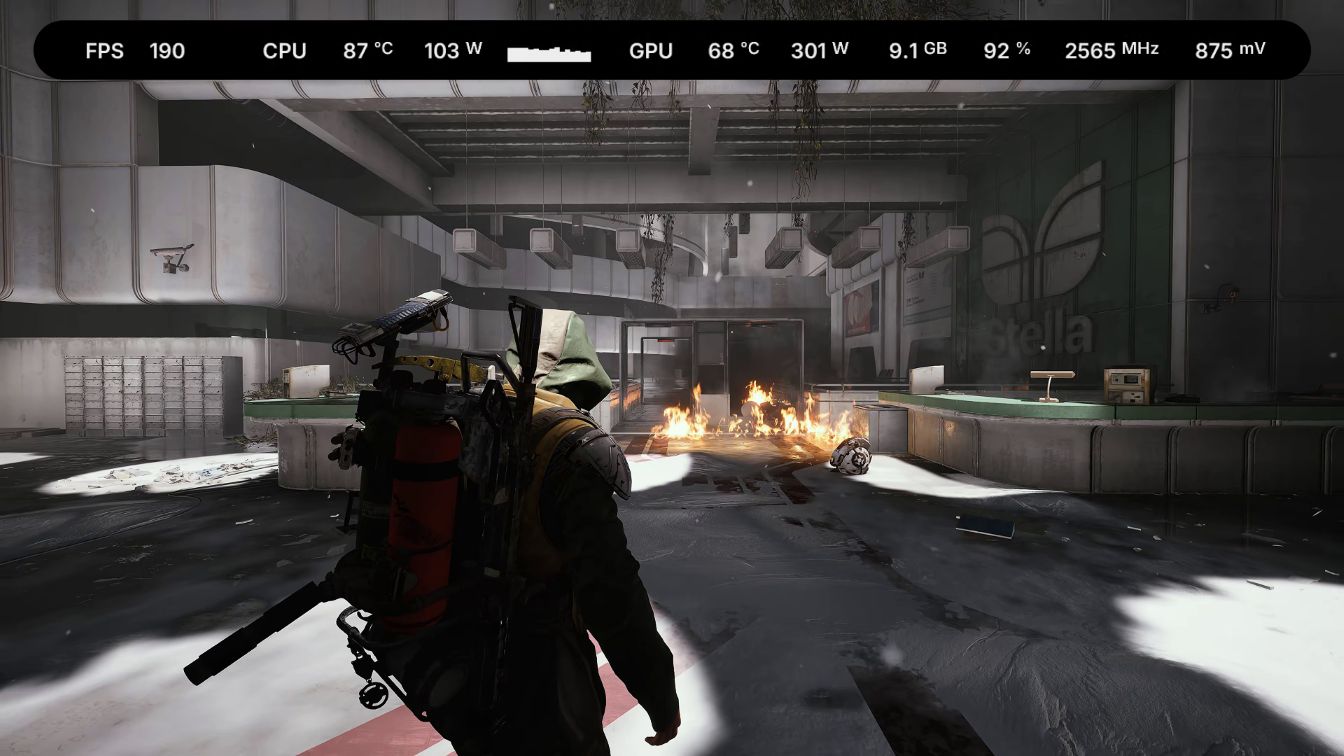
This RTSS overlay is available exclusively on my Patreon.
It supports most of the popular screen resolutions (including ultrawide), and multiple CPU thread counts.
It uses RTSS sensors exclusively, so you don’t have to run any other apps in the background.